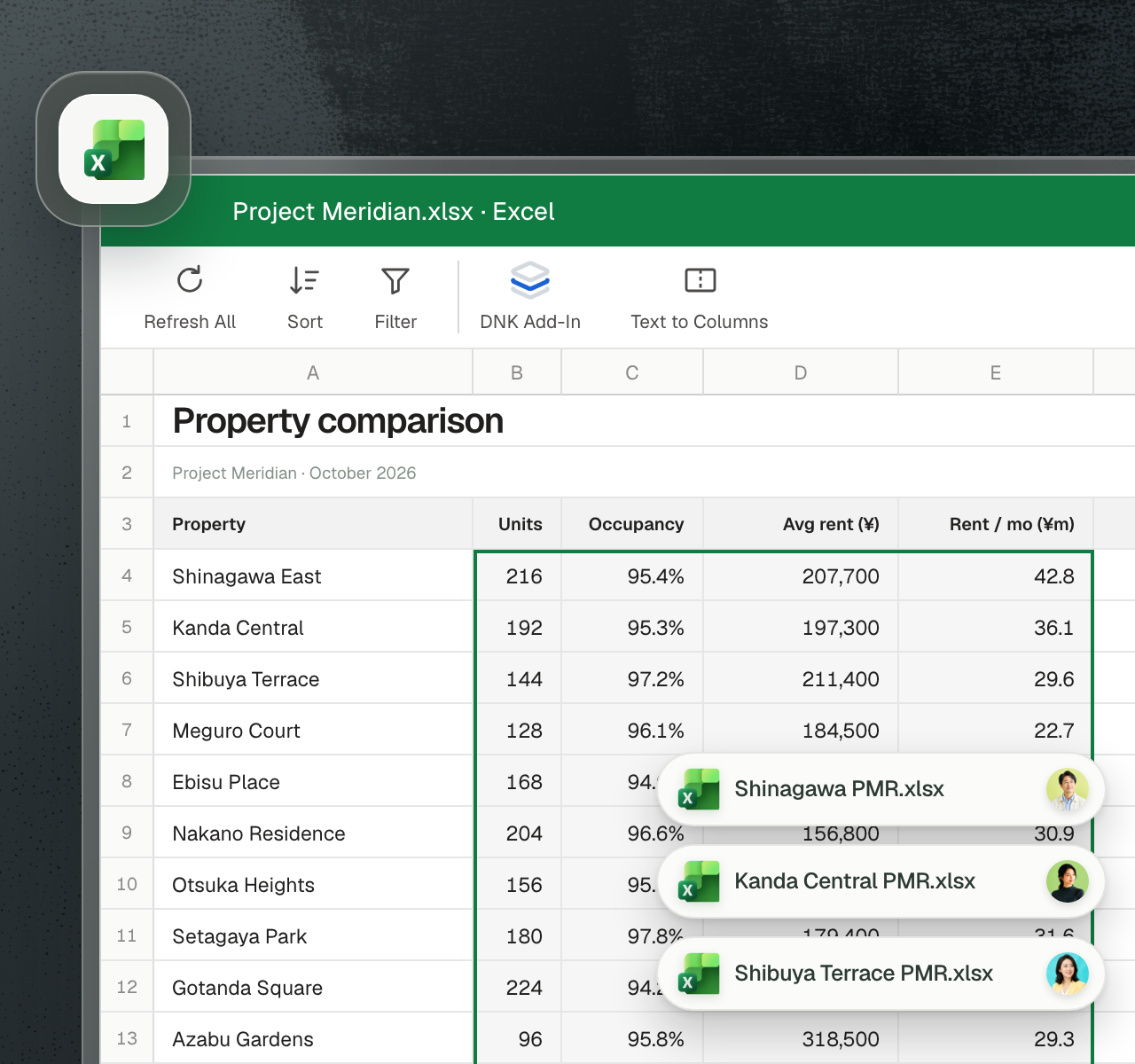
Bring standardized PMR data directly into Excel.
Bring standardized PMR data directly into Excel.
Use DNK’s standardized property data in the spreadsheets and models your team already works in. Choose the properties, fields, and reporting periods you need, then bring their data into your workbook.

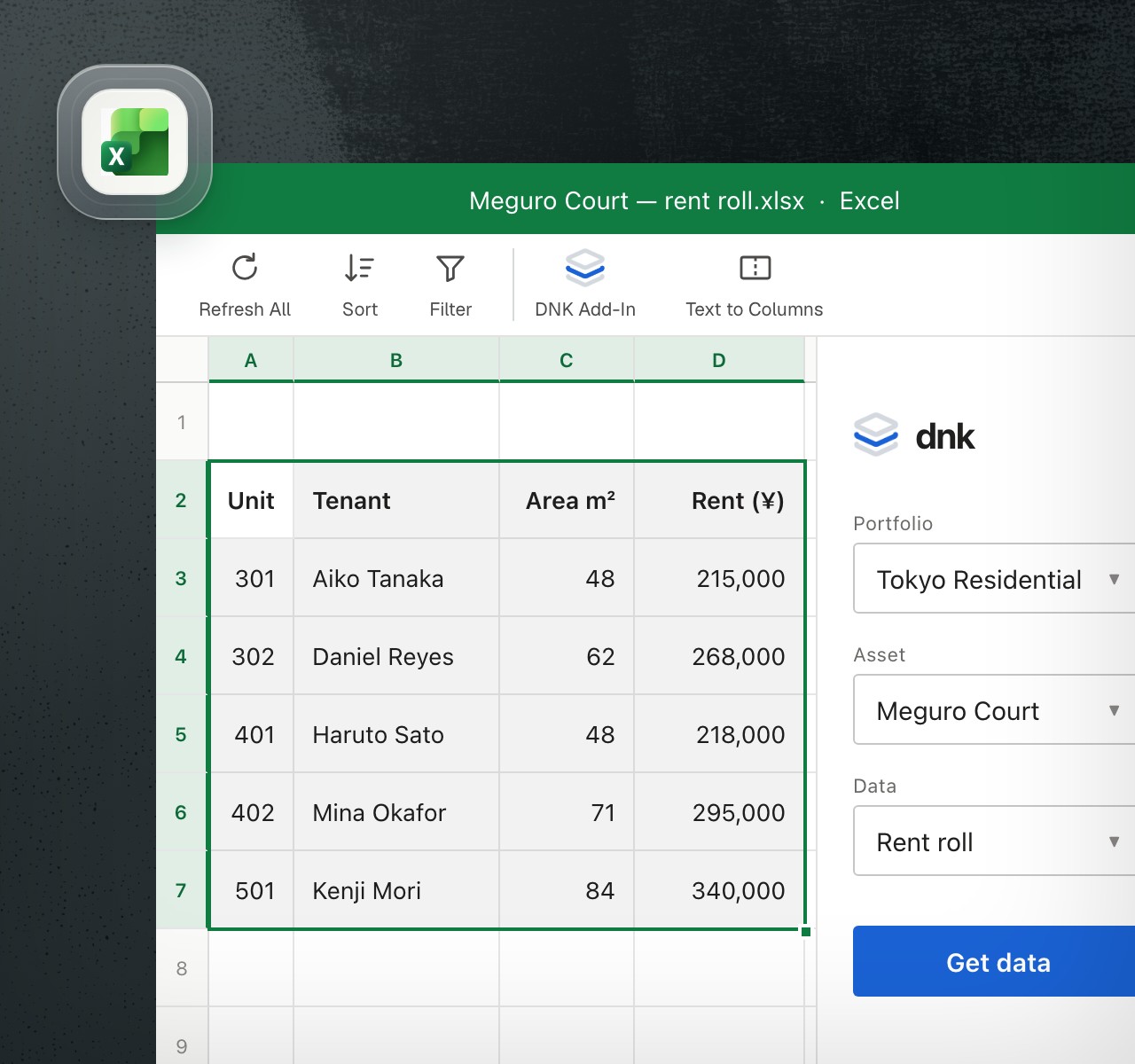
Get the property data you need without leaving Excel.
Open the DNK side panel, choose your properties and reporting periods, and insert the data directly into your workbook. Bring in a single figure or fill a selected range.
Pull PMR figures into your workbook without opening individual reports to copy the numbers.
Bring in a single figure or a full table without preparing a separate export.
Access data across properties and reporting periods from the same spreadsheet.
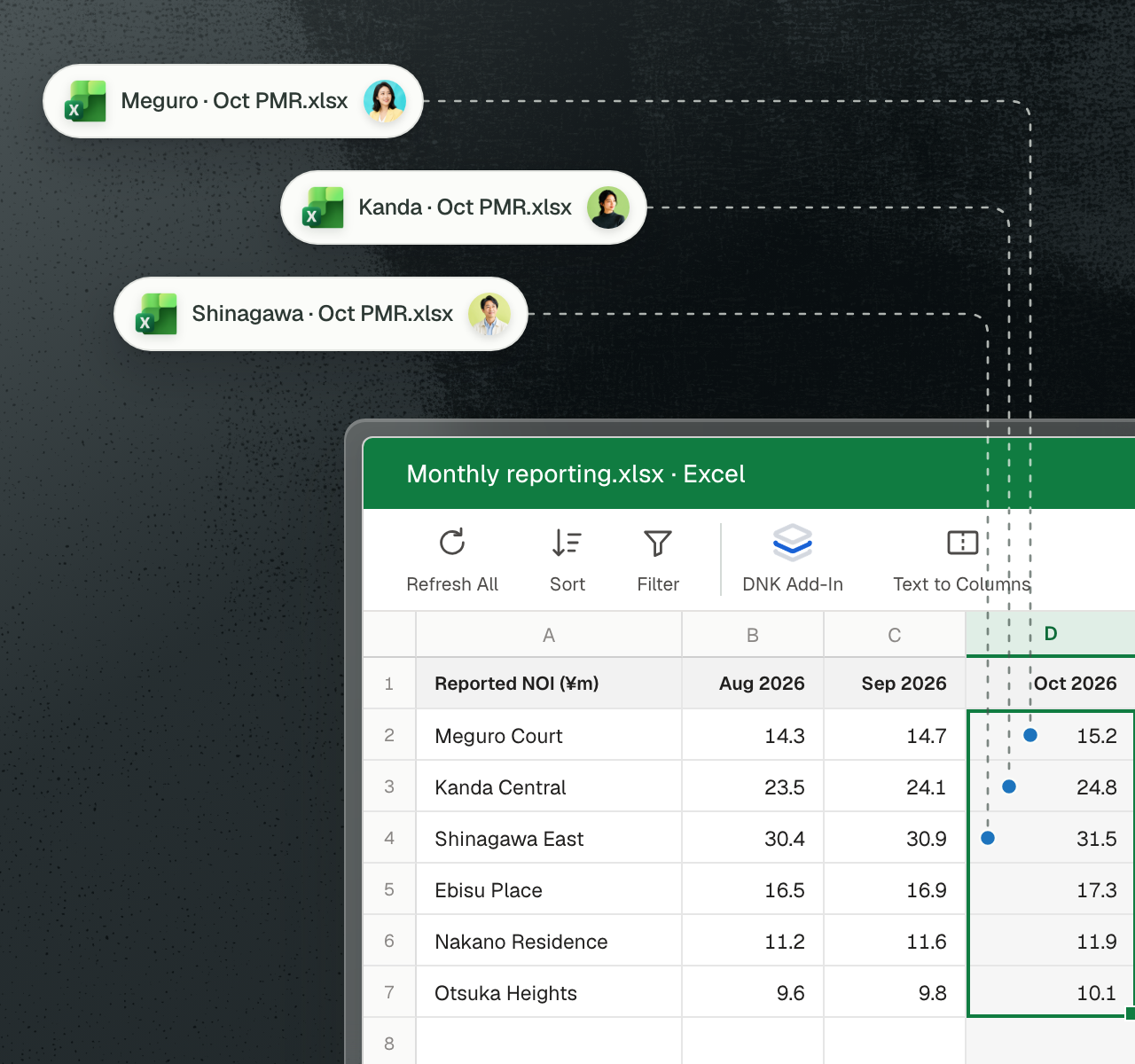
Bring each month’s PMR data into your regular reporting.
Once the latest PMRs are processed in DNK, pull the new figures into the Excel workbooks your team maintains each month. Use standardized data for your recurring calculations and reports.
Use the latest month’s figures as soon as DNK has processed the reports.
Update the recurring workbooks your team relies on, using your existing formulas and reporting layouts.
Compare the new month with previous periods without compiling the historical PMRs again.
Start your deal analysis with the PMR data already prepared.
Once DNK has processed a deal package, bring its standardized property data into a new workbook or an existing model. Build the calculations and comparisons you need to evaluate the deal.
Get a deal’s property reporting history into Excel without compiling months of reports yourself.
Compare assets using consistent data, even when their original PMRs use different formats.
Evaluate the deal in your team’s underwriting models, with the operating data ready to use.